Paste or upload
Choose your saved author for an author-page import, paste your links, or upload your existing book list.
Keep every title, edition, manuscript, and cover together. Frontlist shows you what is ready, what needs attention, and what to do next.

Start with a public author-page link, a batch of book links, or one catalog CSV. Frontlist retrieves available information so you can review your books together.
Choose your saved author for an author-page import, paste your links, or upload your existing book list.
Frontlist matches books and editions, flags duplicates, and shows missing or conflicting details in one review screen. Inspect all matched books whenever you want.
Confirm the reviewed import. Each edition keeps its own retailer links. Pause an unfinished intake and resume it later.
One title stays free; Pro supports your larger catalog. Public author pages supply only the listings they expose. A catalog CSV is the most complete starting point.
Paste book links, use a public author page, or upload your catalog CSV. Review the results before saving.
Store each manuscript and cover with the edition it belongs to.
See missing work, approve the right version, and prepare a package. You finish delivery in the retailer portal.

Your book record keeps the title details, formats, approved files, retailer status, and next action together.
These are my books inside Frontlist. Choose a view to see how the platform turns a growing catalog into clear, manageable work.
Shown with my working catalog and real book data, not staged sample content.
Aunesty Janssen, founder and author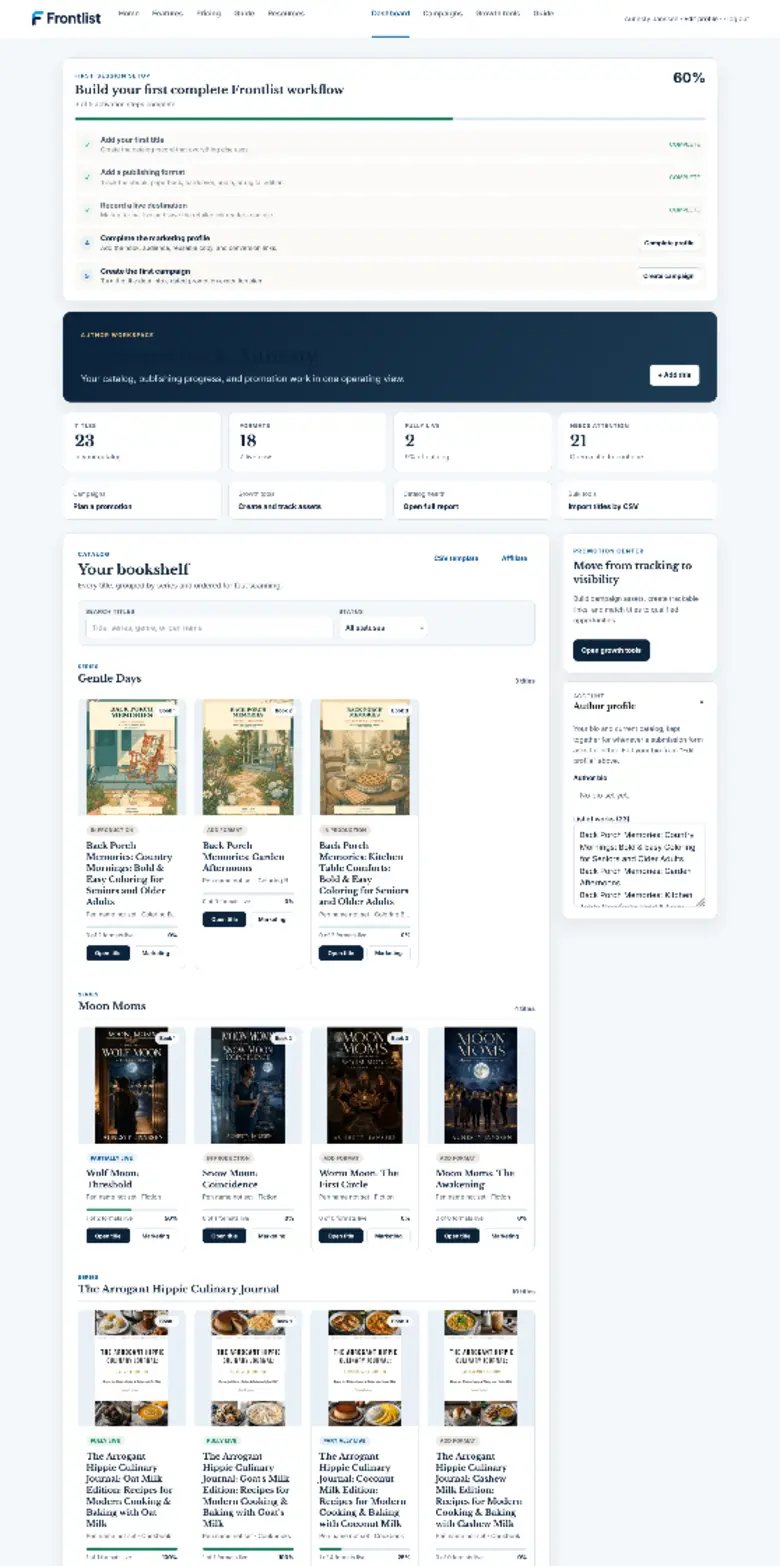
I needed one place to see every book, keep the right publishing files with it, and know what had to happen next. That is what Frontlist is.
Aunesty Janssen, founder of Frontlist
One title, every supported format, and 1 GB of private file storage. No credit card.